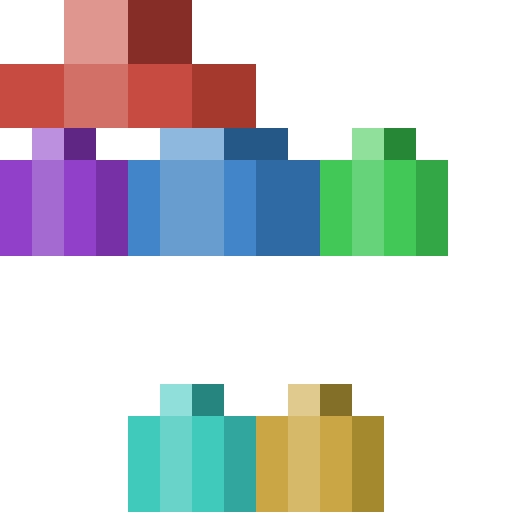
A blank 64 × 64 Minecraft skin template with every face of the head, body, arms and legs in its own colour, so you can see where to paint. It is a working skin: you can wear it as it is, or paint over it in any image editor.
Use the 64 × 64 file to paint and upload. The large one is the same template at eight times the size, for printing or for reference next to your editor. Minecraft only accepts the 64 × 64 size.
The skin layout
Each part of the player model is a box, and its texture is the box unfolded: the top and bottom faces sit above the four side faces. Here is where everything is on the texture. Solid areas are the base layer. Pale, dashed areas are the overlay layer.
The 64 × 64 texture at 8× size. Each square of the grid is 8 × 8 pixels. Right and left are the character's own right and left, so the right arm is on the left when the figure faces you.
Where each part sits on the 64 × 64 texture (x, y of the top-left corner of its unfolded net)
Part
Size (w × h × d)
Base layer
Overlay layer
Net size
Head
8 × 8 × 8
0, 0
Hat: 32, 0
32 × 16
Body
8 × 12 × 4
16, 16
Jacket: 16, 32
24 × 16
Right arm
4 × 12 × 4
40, 16
Right sleeve: 40, 32
16 × 16
Left arm
4 × 12 × 4
32, 48
Left sleeve: 48, 48
16 × 16
Right leg
4 × 12 × 4
0, 16
Right trouser leg: 0, 32
16 × 16
Left leg
4 × 12 × 4
16, 48
Left trouser leg: 0, 48
16 × 16
Base layer and overlay layer
A skin has two layers. The base layer is the body itself. The overlay layer is drawn slightly larger, on top of it, and holds the hat, jacket, sleeves and trousers. Paint every pixel of the base layer. On the overlay layer, leave pixels transparent wherever you do not want a second layer. The template's overlay is fully transparent, so it starts out invisible.
Of the 4,096 pixels in the file, the model shows only 3,264: 1,632 on the base layer and 1,632 on the overlay. The dark areas of the diagram are never drawn by the game, so whatever you paint there does not show.
Classic and slim arms
The template is laid out for classic arms, which are 4 pixels wide (the Steve model). Slim arms (the Alex model) are 3 pixels wide: each arm's front, back, top and bottom faces are one pixel narrower, so the arm's net is 14 × 16 instead of 16 × 16, and the two right-hand columns of its area go unused. You choose wide or slim arms when you upload the skin.
Old 64 × 32 skins
Before Minecraft 1.8, skins were 64 × 32: only the top half of this layout. They had no separate left arm or left leg, because the game mirrored the right ones, and the only overlay was the hat. The lower half of the template, with the left limbs and the jacket, sleeve and trouser layers, was added in 1.8.
Painting it in the browser
You do not need an image editor. Open the skin editor, press "Bring your own skin" and choose the template, or just start drawing on the blank desk. You can paint the flat texture or straight onto the 3D figure, one layer at a time. When you search, the Library opens the page where your skin is written, and "Download skin" saves it as a PNG. Even this template has a page in the Library, like every other skin.
Uploading your skin
In Java Edition, add the PNG in the Skins tab of the Minecraft Launcher or on your profile at minecraft.net. In Bedrock Edition on Windows, Android or iOS, open the Dressing Room, choose Classic Skins, then Import. Consoles cannot import skin files.
No ideas yet? The random Minecraft skin generator opens a random page of the Library. The template is free to use for anything. Minecraft is a trademark of Mojang Synergies AB.